
Aligning Copilot Deployment to Zero Trust Principles
With the advent of Generative AI there is a lot of excitement around the possibilities, and rightly so. Many organisations are re-imagining their business processes, exploring how it can help "level-up" their people or even rethinking their entire business model.
For this reason, Copilot for Microsoft 365 is proving massively popular. Businesses want to harness their organisation's knowledge and given so much of this knowledge lives within Teams, Exchange, OneDrive & SharePoint; Copilot for Microsoft 365 is perfectly positioned to unleash its potential.
But to do so, it's essential to have the right foundations in place, otherwise something that is intended to bring great value may bring significant headaches.
The Security Foundations of a Generative AI Strategy
First things first, governing AI is perceived to be complex and shrouded in mystery, when in reality it's quite simple. When devising a governance strategy for Copilot for Microsoft 365, or any Generative AI tool, the key thing to understand is that AI does not create security gaps.
Tools like Copilot for Microsoft 365 inherit your organisation's & users' security controls. This means that anything a user has access to, Copilot has access to too. So, with the click of a button, or the typing of a query, users have access to a wealth of information at their fingertips. This is a huge boost for productivity, but on the flip side this can amplify & magnify any security gaps that exist in your organisation.
The days of "security by obscurity" - where by virtue of something being hard to find was then secure as a result - are over.
The below is intended to serve as a simple guide to help demystify the risks and the tactics to mitigate them, in alignment with the Zero-Trust Principles.
1. Manage Over-Privileged and Risky Users
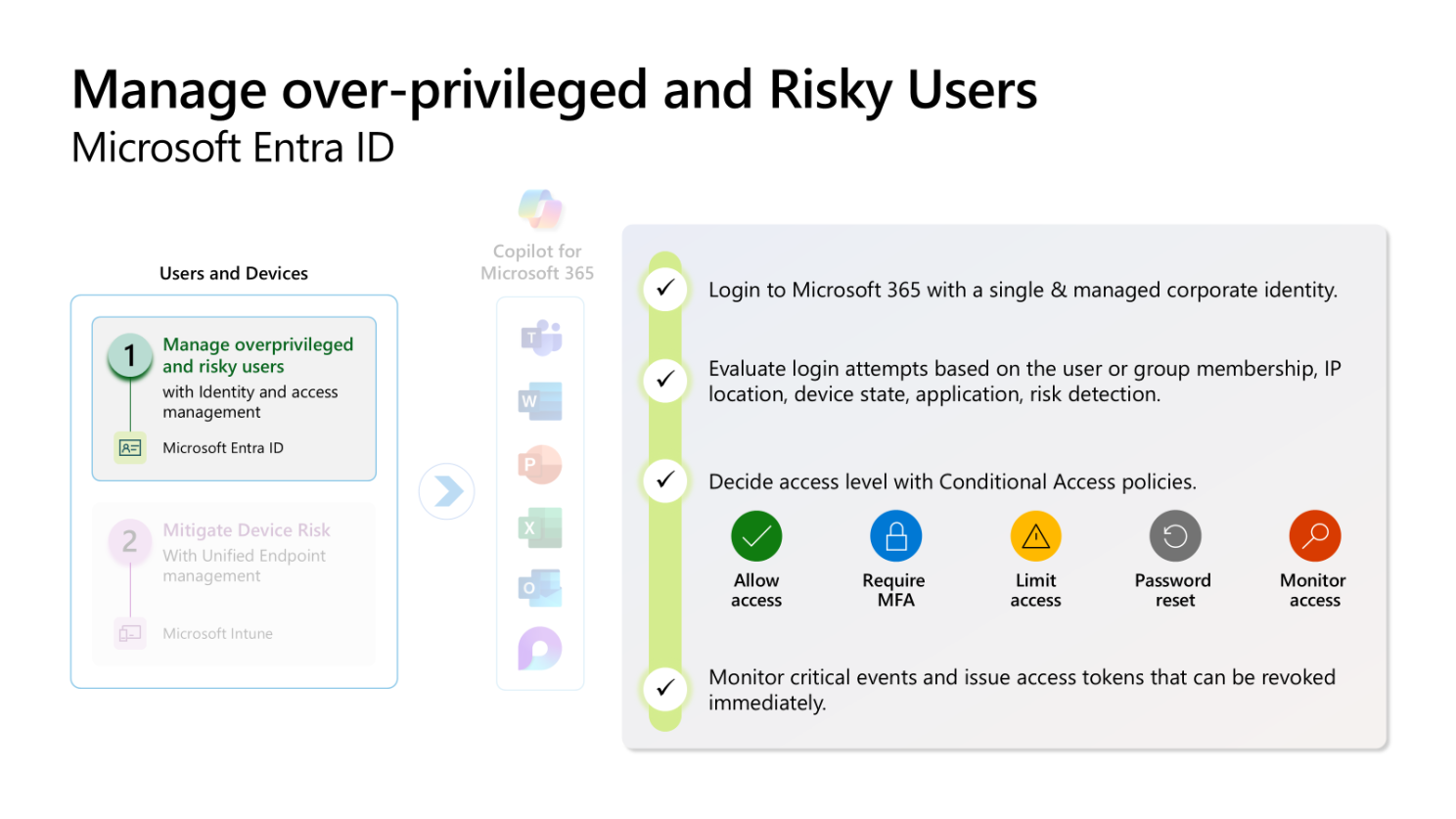
Overview: Over-privileged and risky users might have access to sensitive data they shouldn't have access to, leading to potential data breaches.
Why This Matters:
- If a user's account is compromised, attackers can access a wealth of sensitive information, increasing the blast radius of an attack
- If a user wants to leave your organisation and move to a competitor, they have access to extensive information, increasing the potential damage caused by data theft
How This Can Be Addressed:
- Implement risk-based conditional access policies and multi-factor authentication (MFA) to harden identities
- Review user access leveraging Oversharing Assessments & Access Reviews
- Automate your organisation's Joiner, Mover, Leavers (JML) process to ensure that users only have access to resources required in their current role
Microsoft Technology: Microsoft Entra
Zero-Trust Principle: Verify explicitly, Assume Breach
2. Mitigate Device Risk
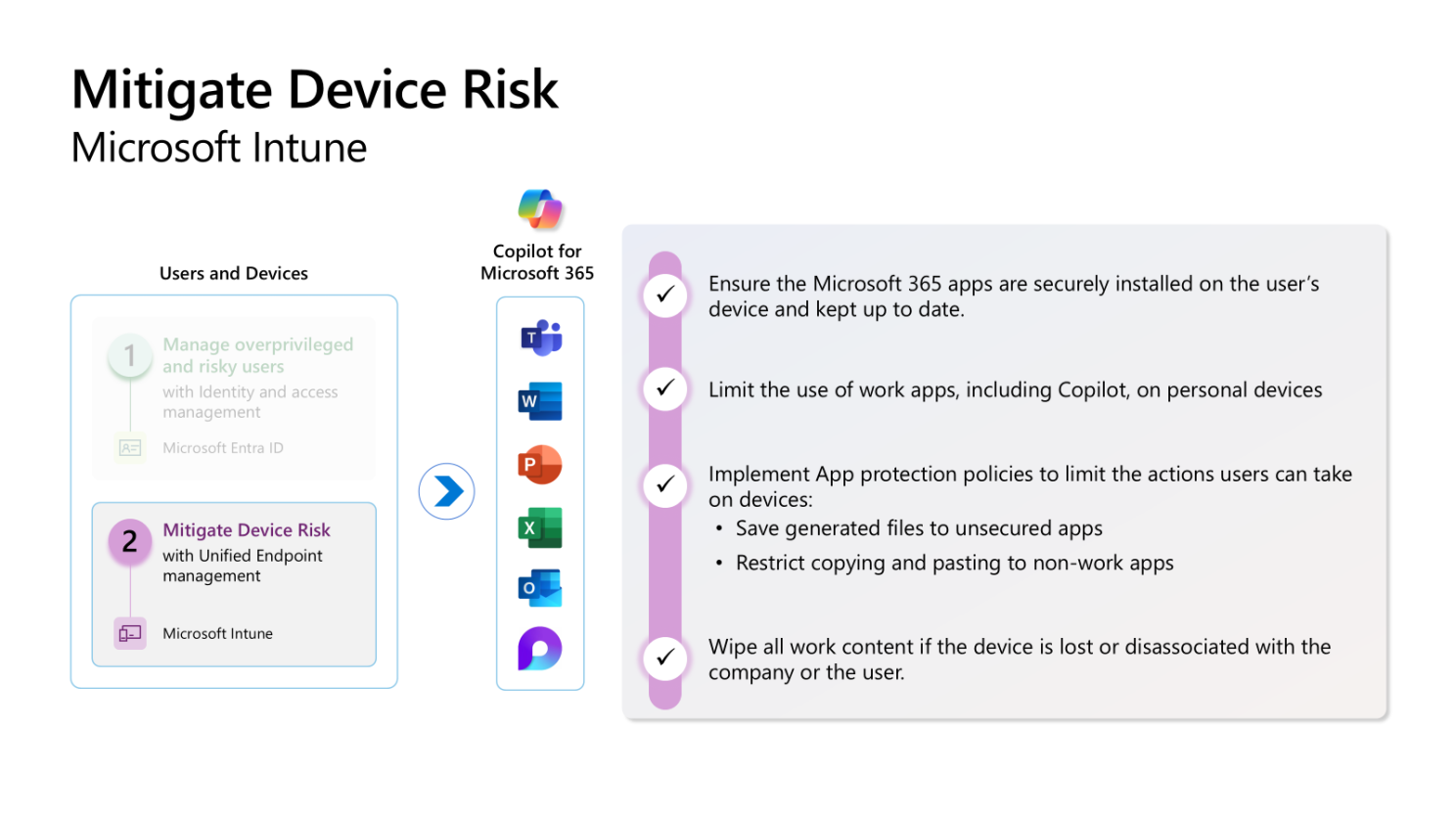
Overview: Devices that are not securely managed can be a gateway for attackers to access corporate resources.
Why This Matters: Ensuring that only secure, corporate-managed devices can access Copilot reduces the risk of data theft.
How This Can Be Addressed: Limit the use of work apps on personal devices, and implement app protection policies to prevent particular actions being taken (e.g. copy & paste or screenshots).
Microsoft Technology: Microsoft Intune
Zero-Trust Principle: Assume Breach
3. Secure and Govern Data in Copilot Interactions
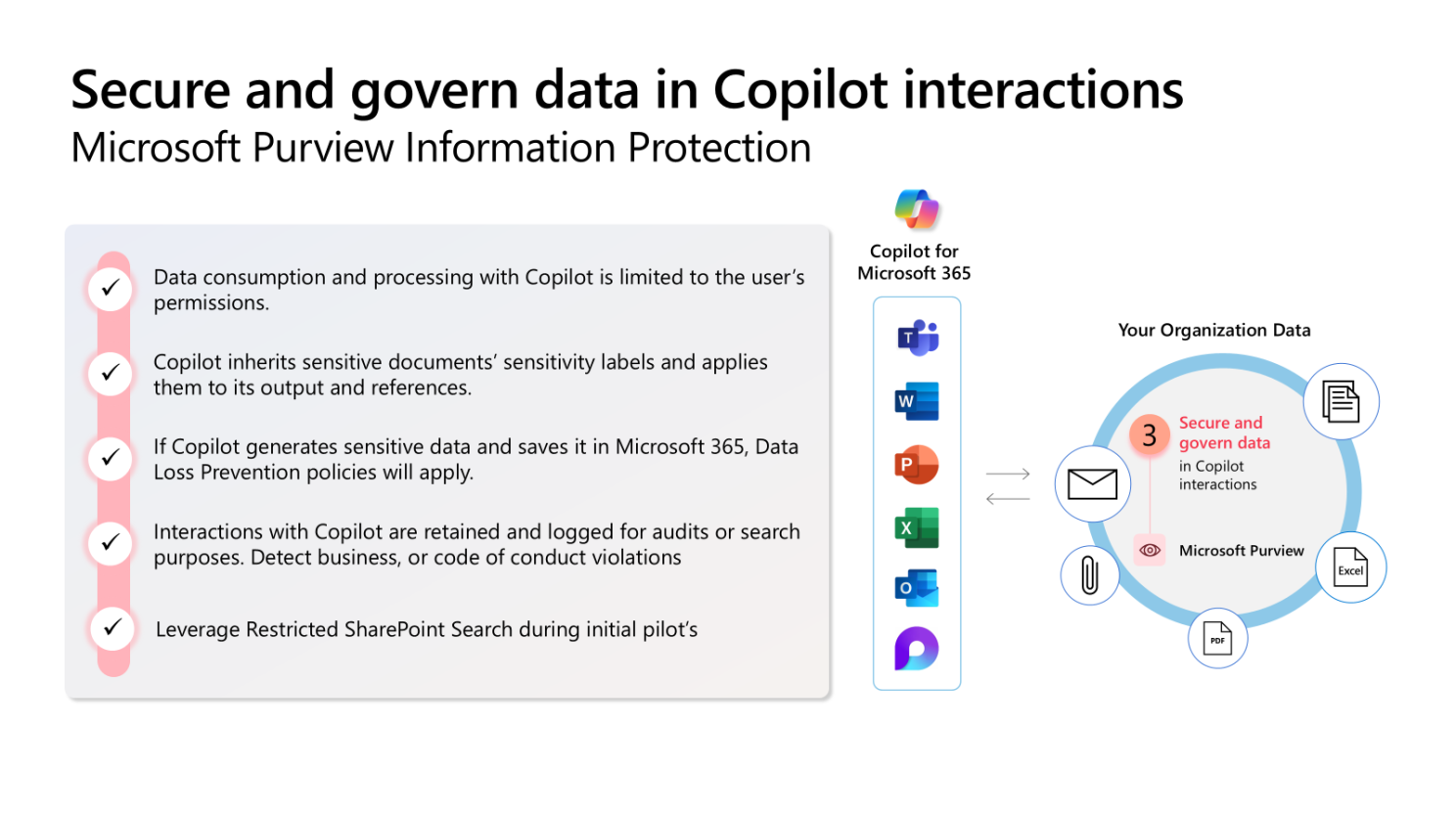
Overview: Sensitive data can be accessed or shared inappropriately during AI interactions.
Why This Matters: Protecting sensitive information is crucial to maintaining compliance and preventing data breaches.
How This Can Be Addressed: Apply sensitivity labels and data loss prevention (DLP) policies to protect sensitive information.
Microsoft Technology: Microsoft Purview
Zero-Trust Principle: Least privileged access
4. Discover and Control the Use of AI Apps
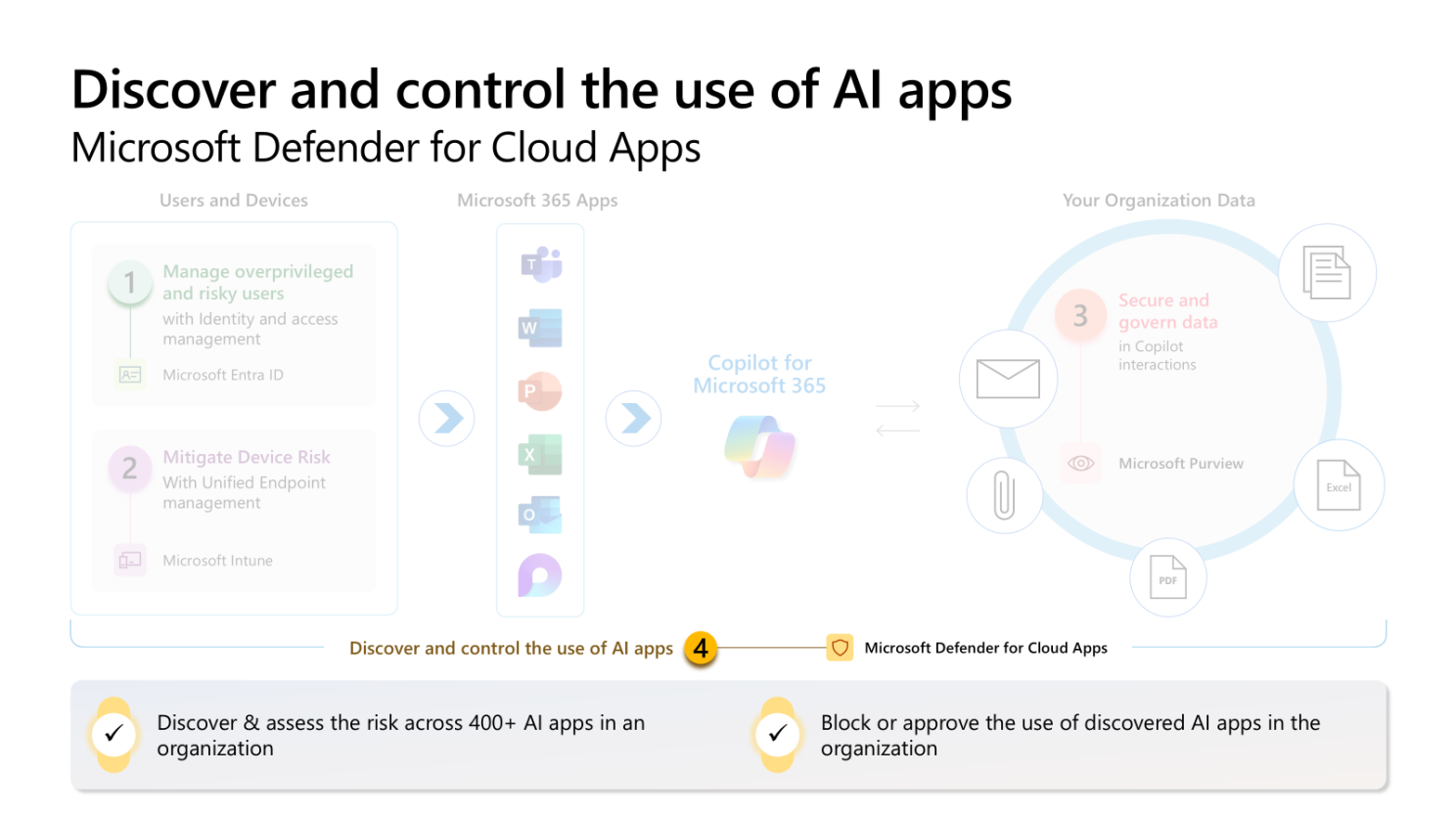
Overview: Unsanctioned AI applications can be used to share sensitive data, leading to potential data leaks.
Why This Matters: Controlling the use of AI apps ensures that sensitive data is not shared in unsanctioned applications.
How This Can Be Addressed: Discover and assess the risk of AI applications within your organisation and block or approve their use.
Microsoft Technology: Microsoft Defender for Cloud Apps
Zero-Trust Principle: Verify explicitly
Key Takeaway
AI governance isn't about creating new security frameworks—it's about ensuring your existing foundations are solid. Copilot inherits your security posture, so strengthening identity, device, data, and app controls protects your AI investments while enabling innovation.